Vossa
€25per planner per month
10 employees included
€3 per extra employee per month
Everything in it: the week overview, availability with a warning on every conflict, requests, and everyone's own week on their phone.
Vossa is employee scheduling for companies that currently build their week in Excel and send it round on WhatsApp. You plan your week in half an hour, with no training.
Friday, four in the afternoon
One person keeps the file, everyone else gets it by email. After the third change, which version is right is anyone's guess.
A swapped shift sits between all the other messages. It never makes it into the schedule.
Who can't work when lives in someone's head. You only notice when someone doesn't turn up.
The product
One row per employee, one column per day. Drag a shift to another day, time or employee, and see who can't work before you confirm.
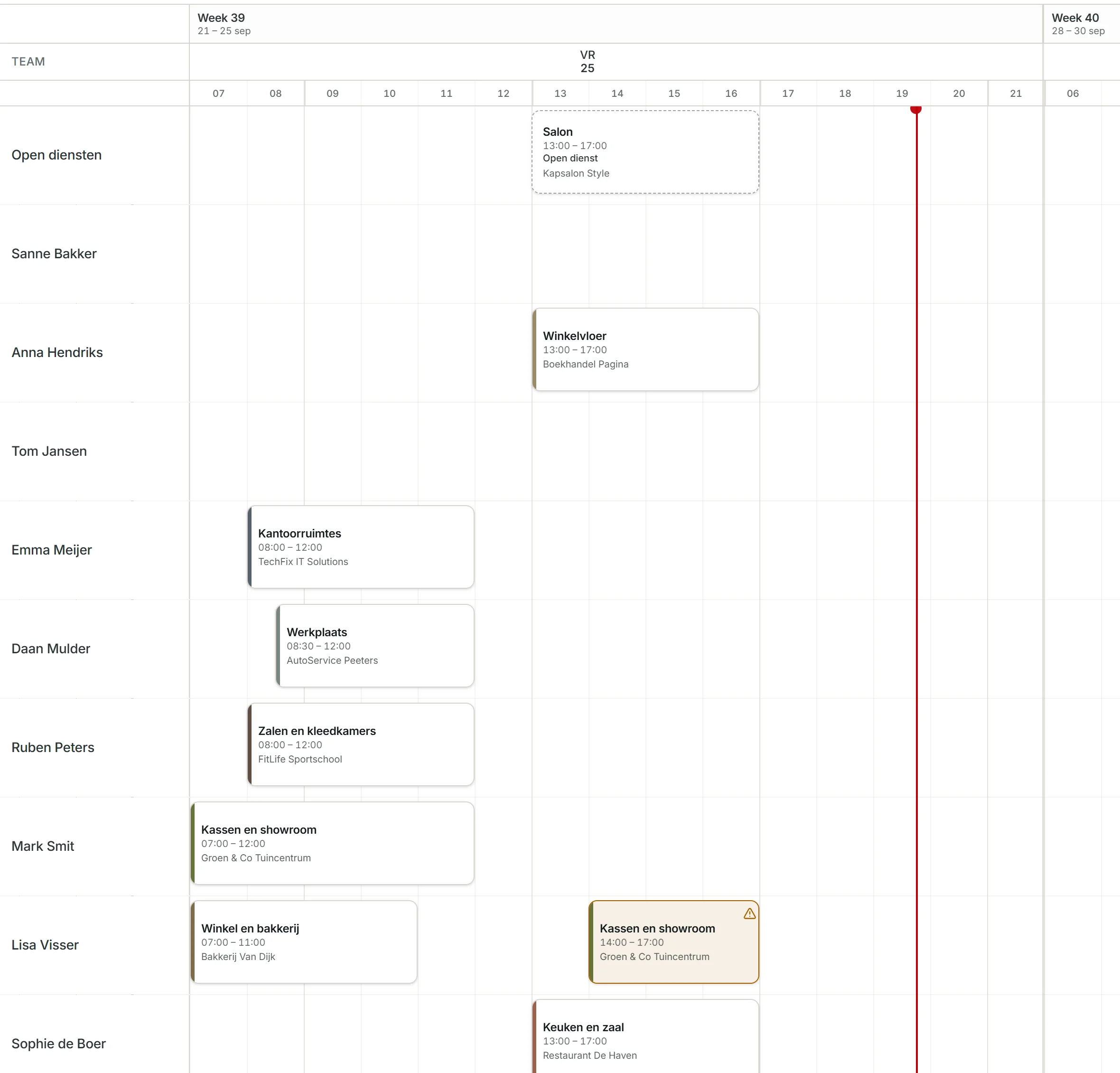
A shift without a name has a dashed border until someone is on it.
To another day, time or employee. Pull an edge to make a shift longer or shorter.
Employees enter when they can't work. Schedule someone anyway and you see it on that shift, not on the day itself.
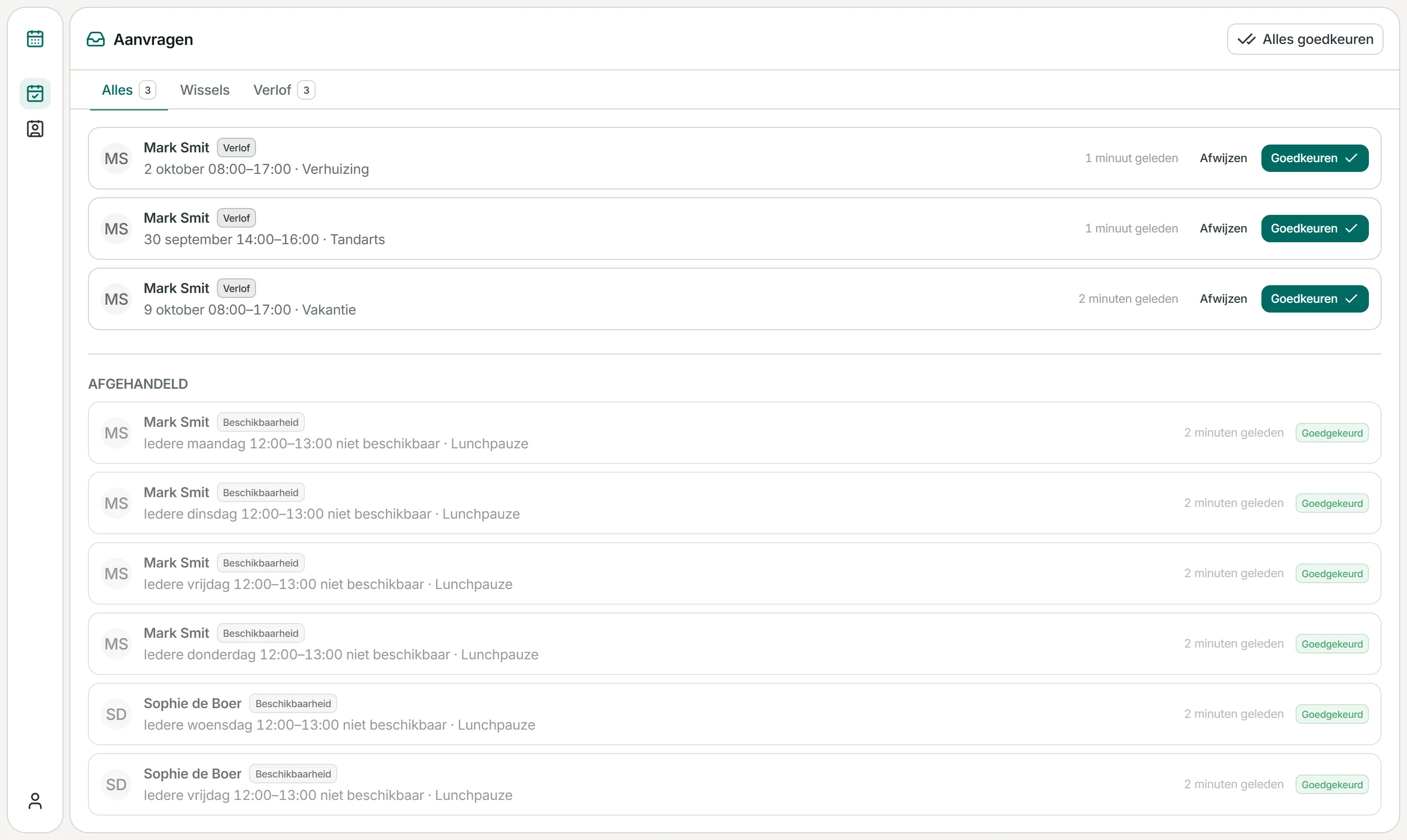
Requests
Employees ask for a day off or report when they can't work. You approve or decline in one place instead of in the group chat. You decide per employee whether approval is needed.
A request, not leave administration.
My week
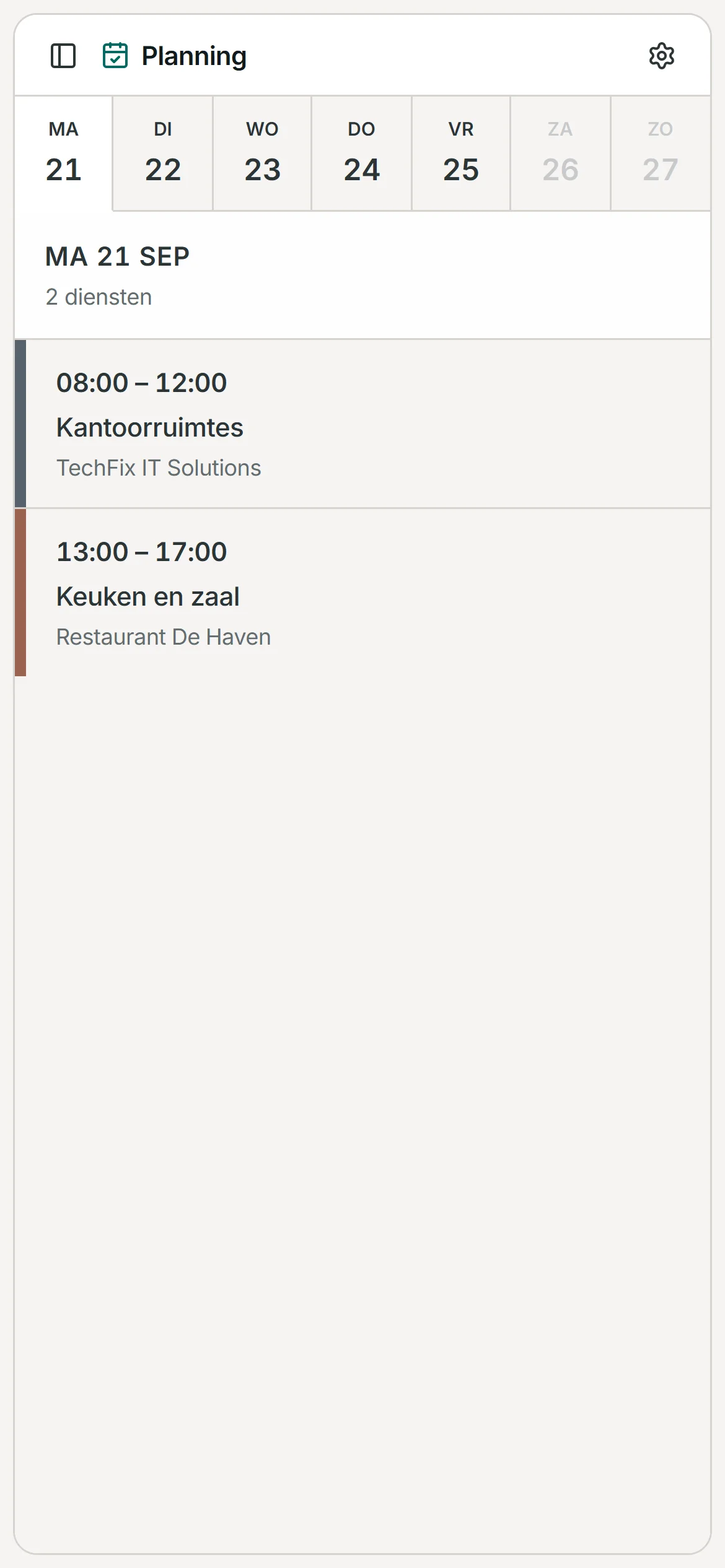
Employees open Vossa in the browser on their phone and see only their own shifts: which day, what time and where. There is no app to install.
Nobody has to ask around in the group any more.
Left out on purpose
That is a choice, not a shortcoming. Vossa does one thing: plan your week. That is why you understand it without training.
Looking for time tracking, payroll or a full HR suite? Heavier packages exist for that.
More
Everything you need to plan a week. Nothing more.
The key, the alarm code, a contact person. It sits with the shift, not in a message.
Add someone by name and schedule them straight away. The account follows later, with an invitation.
Enter them once. They are marked on the board, and a shift picks them up in one click.
If you schedule people at customers, each customer gets its own colour. Work without customers and you switch that part off.
Owner, admin, planner and employee. Everyone sees what belongs to their role.
How it works
Three steps, no installation and no consultant. No training needed. There isn't any.
Name, email address and password. Then you create your organisation, and you are its owner.
Add employees by name, even before they have an account. Invite them by email or with a code, and they choose their own password.
Put shifts on the week overview, drag them into place and confirm them. Anyone with an account sees their shifts on their phone straight away.
Who builds it
Vossa is built by one person, in the Netherlands. I quickly build what customers ask for, but only what works for more companies. That keeps it simple for everyone.
Pricing
You pay per planner. Ten employees are included; every employee above that costs €3. No packages, no separate modules.
€25per planner per month
10 employees included
€3 per extra employee per month
Everything in it: the week overview, availability with a warning on every conflict, requests, and everyone's own week on their phone.
Coming soon
+€30per month, for your whole company
The agent fills in your week for you, based on availability and fixed times. You check it and confirm.
All prices per month, excluding VAT.
Questions
Is your question not here? Email Luuk
For any company that schedules people in shifts and now builds the week in Excel and shares it on WhatsApp. That goes for shifts at your own location as well as for people who work at customers. You don't need a dedicated planner.
Add your employees; you can do that by name, without an account. Create shifts on the week overview and drag them to another day, time or employee. Confirming takes a single button, and you duplicate a shift that repeats.
Yes. There is one schedule and everyone works from the same version, instead of copies in email and the group chat. Importing from Excel is not possible: you add your team once.
No. Employees get an invitation by email or an invitation code, choose a password and see only their own shifts in the browser on their phone, by day or by week.
Employees enter fixed times each week and one-off exceptions themselves. If you schedule someone at a time they can't work, you see it straight away while scheduling.
Yes. An employee requests a day off and you approve or decline it in the requests inbox. Per employee you decide whether approval is needed. It is a request, not leave administration: Vossa does not keep leave balances or hours.
No, deliberately not. No time tracking, no time clock, no leave balances, no payroll, no invoicing and no personnel files. That is a choice, not a shortcoming.
Not yet: you plan, and Vossa checks with fixed rules whether someone is available. A planning agent that fills in your week for you is on its way, as a separate add-on.
Yes. Customers get their own colour and you pick the customer per shift. Work without customers and you switch that part off.
€25 per planner per month. Ten employees are included; every employee above that costs €3 per month. All prices exclude VAT.
Create an account, add your team and plan your first week. No training, no implementation project.